Tampilkan postingan dengan label laptop. Tampilkan semua postingan

Minggu, 12 Oktober 2014

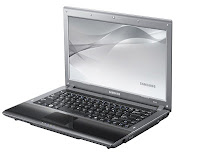
Download Drivers Samsung R349 Laptop Windows XP 32 Bit

Download Drivers Samsung R349 Laptop Windows XP 32 Bit

Intel Turbo Boost Management Device Driver 1.1.1.1007
Download : Direct | Mirror

Intel Chipset Device Driver 9.1.1.1025
Download : Direct | Mirror

HDMI Audio Device Driver 5.18.0.5500
Download : Direct | Mirror

Sound Audio Device Driver 5.10.0.6083
Download : Direct | Mirror

External VGA AMD Device Driver 8.713.3.0000
Download : Direct | Mirror

Synaptics Pointing Device Driver 15.0.10.0
Download : Direct | Mirror

SCB-0340N Camera Device Driver 345.2001.4004.1
Download : Direct | Mirror

Broadcom Network Bluetooth Device Driver 5.6.0.4400
Download : Direct | Mirror

Atheros Wireless Lan Network Device Driver 7.7.0.446
Download : Direct | Mirror

Marvell Miniport Lan Network Device Driver 11.22.3.3
Download : Direct | Mirror

Easy Display Manager Software 3.1.5.0
Download : Direct | Mirror

Magic Keyboard Software 7.0.3.6
Download : Direct | Mirror

Samsung Battery Manager Software 2.1.4.3
Download : Direct | Mirror

You can tell me about more drivers in other models at comment below all times.

Read More..

Jumat, 11 April 2014

USB Finger Mouse Optical Laptop Notebook PC 1200DPI

USB Finger Mouse Optical Laptop Notebook PC 1200DPI100% Brand new high quality USB finger optical mouse. Resolution: 1200 dpi for quick and precise movement USB interface, also works for PS/2 (adapter not included). Plug and play, no installation needed 3 buttons with scroll wheel. Digital encoder technology, operate precisely, prevent faulty movement effectively. No mouse pad required. Sliding on any surface Suitable for both right and left hand user. Textile coating cable (not rubber coating) - enhance free and easy movement. Compatible with MS Windows 98/2000/me/XP/Vista Mac OS 9 and above.

Price: $19.99


Click here to buy from Amazon

Read More..

Sabtu, 15 Maret 2014

Dell Laptop


DellTM StudioTM  14

Processor

Intel®  CoreTM 2 Duo Processor T6400

Operating System

Genuine Windows Vista®  Home Premium

Chipset

Intel®  965GM Chipset

Memory

3GB DDR2 SDRAM

Hard Drive

320GB 5400RPM SATA Hard Drive

Display/Monitor

14.1" Widescreen WXGA CCFL (1280x800) TFT Display with True LifeTM

Network Card

Internal 10/100/1000 Gigabit Ethernet

Graphic Card

Intel®  Integrated Graphics Media Accelerator X3100

Sound Card

Intel®  High Definition Audio 2.0

CD-ROM/DVD-ROM/Disk drive

Slot Load 8X max DVD+/-RW Drive6 with DVD+R double layer write capability

I/O Ports

VGA, RJ11 (via optional USB dongle), RJ45, 3 Audio jacks (1 line-in, 1-line out, 1 Mic-in), 1 Express Card 54mm slot, 2 mini-card slots, 1394a, consumer IR, 3USB 2.0 ports (SR), 1 HDMI, Sim socket

Modem

N/A

Battery

6-cell Primary Battery

Carrying Case

N/A

Service/Warranty

1 Year Limited Warranty (Next Business Day On-Site Service)

Software

Microsoft®  Works 9.0 
Dell Recommends Microsoft
®  Office 2007 Home & Student Edition - OEM Version

Speakers

Integrated speakers

Keyboard

DellTM  Keyboard with Touchpad

Anti-virus

McAfee®  Security CenterTM  30 days Introductory Offer
Dell Recommends McAfee
®  Security Center
TM  15-months OEM

Bluetooth

DellTM  Wireless 370 Bluetooth Internal (2.0) mini-card

Controller Card

DellTM  Wireless 1397 802.11b/g Half Mini Card

Additional Accessories

N/A

Media Direct

Dell Media DirectTM  featuring Instant Office

Webcam

Integrated 2.0 mega pixel web cam

Card reader

8-in-1 Memory card reader

Color Kit

All colors available

Remote & Ear Buds

DellTM  Travel Remote Control & Noise Isolation Ear Buds

Strike Zone

Strike ZoneTM  Shock Absorber

Security Feature

Sensible Vision Fas tAccess Facial Recognition Software

Read More..

Sabtu, 22 Februari 2014

HP ENVY 17 3270NR Laptop review


The HP Envy 17 model we reviewed has an Intel Core i7 processor with a core speed of 2.3GHz. Speed boosts can ramp it up to 3.3GHz. This makes for quick load times for programs, especially graphic-heavy games and photo editing software. Plus you can set the computer to continually give you these boosts of speed. This is a third-generation processor, so it has lower power requirements and better cooling than previous generations.

One of the best things about this laptop is its video card. The Radeon HD 7850M comes standard, which is good enough for running games like Diablo 3 on medium-high settings. But best part is this: the graphics card is switchable. This means the graphics card isnt integrated into the processor but runs as its own GPU. This option is hard to find since most laptops come with integrated graphics cards. The Envy lets you pop out the current card and make any necessary upgrades you want.

All HP Envy models come with Beats Audio built in. This bass-heavy technology makes it easy to hear all tones of audio, even on laptop speakers. Beats Audio gives you full control over every portion of the audio levels with easy-to-use settings. The six speakers and the dual-bass speaker setup in this laptop sound good, but Beats Audio is at its best with high-quality headphones plugged into the auxiliary jack.

The HP Envy 17 provides an ample amount of memory for all of your needs. The laptop we reviewed offers 8GB of RAM. It also provides a large amount of hard drive space. The 750GB of hard drive space included on the laptop provide plenty of storage for all kinds of files. However, there are several options for adding additional RAM and hard drive space to your laptop if youd like; the choice is up to you.

This laptop computer has a decent battery life with an eight-hour charge with minimal use. You can expect to get up to seven hours of power on a single battery charge with continual use, giving you the power you need for work, entertainment and additional computing needs throughout the day.

Design:

One of the first things you will notice about the HP Envy 17 is its attractive design. This laptop features an aluminum chassis, which gives it an appealing look and provides it with the durability and protection it needs to last a long time.

We are impressed with the keyboard on this laptop computer. The Envy 17 features a full-size radiant backlit keyboard. Controls on the keyboard allow you to make the keys as bright or as dim as you would like. It even features proximity sensors that will sense your presence, so when you have stepped away from your computer, the lights will dim to save the battery life.

The Envy 17 features a large 17.3-inch display screen with a 1920 x 1080 HD screen resolution. The large display screen is excellent for enjoying multimedia entertainment, and the sharp, crisp display makes working with images and videos a breeze.

However, the design of the HP Envy 17 did not meet our full expectations, simply because this laptop computer is very large and heavy. It weighs a little over seven pounds, and its large size makes it difficult to carry compared to smaller laptops. If you are looking for a laptop to take on the road, the size of the Envy 17 may be prohibitive.

Feature Set:

The Envy 17 laptop provides a wide assortment of features and tools, ranging from entertainment and multimedia tools to security features and more. This computing device features an HP TrueVision HD webcam and a built-in microphone, which makes video chats possible. This laptop also comes with both Adobe Photoshop and Adobe Premiere Elements.

This laptop comes with all the basic networking tools such as Wi-Fi and Bluetooth capabilities. A standard DVD optical drive is available on the device, with the option to upgrade to a Blu-ray player. There is also a wide assortment of connectivity options on the Envy 17, such as four USB ports, three of which are USB 3.0 ports. An HDMI port is also available, which allows you to connect the laptop to an HD monitor or an HDTV for an enhanced viewing experience.

This HP laptop features HP ProtectSmart, which is designed to keep your data safe from any bumps your laptop may experience. ProtectSmart senses when the laptop is in motion or is on an unstable surface such as you lap. It then turns on certain safety precautions to protect your hard drive.


Support & Warranty:

One of the advantages to using an HP computer is the companys excellent customer support. By accessing the HP customer service webpage, you can view manuals, warranty information and variety of online help topics. There is also a FAQs section on the HP website that provides additional assistance. You can also communicate directly with a technical support representative through live chat, email and telephone support.

Summary:

The HP Envy 17 is an outstanding and powerful laptop computer. This computing device offers a large feature set and powerful performance tools that can handle all of the extras this computer provides. The hefty size is a bit of a drawback with this computer, but its only because of the superior performance packed into the design. The display screen on this laptop is stunning, and there is plenty of RAM, hard drive space and battery life to handle all of your computing needs. With so much included on this computing device, it is no wonder that it is one of the best laptop computers available.
Read More..

Selasa, 04 Februari 2014

Desktop Laptop And PDA

Desktops versus Laptops versus PDAs
The choice of whether to purchase a desktop or laptop system should be based upon your sense of how you will be using your computer system. If you wish to get the most "bang for the buck" you’ll probably want to consider a desktop system. Dollar for dollar, you can get more computing power and expandability with a desktop. This is particularly important if you ever intend upon adding peripheral devices such as a scanner. If you plan on carrying your computer system with you, the obvious choice will be to purchase a laptop system. If you decide to buy a laptop, we recommend that you purchase it with a built-in ethernet card and a wireless card.
Handheld PDAs are increasing in popularity in medicine. We recommend that you do not purchase a PDA unless 1) you already have either a desktop or laptop system, and 2) have some very specific personal or professional uses for a PDA. Given that this technology is rapidly changing, any need for a PDA during your clinical years would be better served by waiting until then to purchase a system.Most computer systems are sold as complete system packages including computer, monitor, keyboard, modem, cables, and software. Many vendors have a series of systems to choose from, and which can be customized. For example, one common way to customize a pre-packaged system is to add extra random access memory (e.g., from 512 MB to 1000 MB); another is to add a printer. Many systems are "multimedia" with speakers and other hardware, which are ready to play CD-ROMs to their best effect.
Read More..

Senin, 27 Januari 2014

Lenovo’s Idea pad Y500 Laptop Review

AT FIRST look, Lenovos IdeaPad Y500 doesnt seem like something special. This thick, heavy (6.2 pounds), 15.6-inch laptop is cased in a very plain, durable chassis with a brushed-aluminum cowl. It sports a sleek look, however encompasses a tendency to draw in fingerprints.

Lenovo’s Idea pad Y500 Laptop Review

Lenovo Idea pad Y500 Good Gaming Machine

Nothing obvious about the Y500 hints that it is a rather powerful — yet surprisingly affordable — gaming-oriented laptop with a third-generation Intel Core i7 processor, 16GB of RAM, and not one but two Nvidia GeForce GT 650M graphics cards under the hood. Our review model - configured with a 1TB hard drive, a 16GB SSD boot drive, a glossy full HD display, and a full-size backlit keyboard with ten-key numberpad - starts at around $1100. That makes it a bit more expensive than Lenovo’s $800 base model, but it still has a great price fora gaming laptop.

On the performance front, the Y500 handled itself well, though it can’t quite hold its own with the more gaming-intensive models. It received a score of 70 out of 100 on our WorldBench 8 benchmark tests, which puts it well above most mainstream laptops, but still below behemoths such as the $3785 Origin EON17-SLX (which scored 115 out of 100). Still, the Y500 is one of the better laptops weve tested, and its graphics performance is comparable to that of the EON17-SLX. In our Dirt Showdown graphics test, the Y500 turned in a frame rate of 116.1 frames per second, while the Origin EON17-SLX managed 139.5 fps. In other words: If youre a gamer, this is a viable (and much more affordable) alternative to an Origin desktop replacement.


The Y500 offers sturdily built, comfortable components. The full-size keyboard has Chiclet-style, red-rimmed keys set against a shiny black background. The keyboard is extremely comfortable to type on, with great tactile feedback and nice, evenly spaced keys. The red backlight gives it a pop of color, though I have one minor complaint as a gamer: The keys are so evenly spaced (and the numberpad is right next to the keyboard) that a multicolor backlight would be helpful. Its hard to distinguish where keys are, quickly, with an all-red keyboard.

The Y500s touchpad is large and easy to use, but most owners wont care. This is a gaming machine, which means youre most likely going to use an external mouse with it. The touchpad was a tad jumpy and oversensitive, in my opinion, but you can disable it with a quick function keystroke.


Great-Looking Display, but No Touch?

The Y500s screen is one of its biggest assets — even though when you tap it (and you will; this is Windows 8, after all), youll discover that its not a touchscreen. But the screen itself looks great: Its big, bright, and crisp; colors look accurate; and off-axis viewing angles are pretty good. It has a full HD resolution of 1920 by 1080 pixels, and high-motion content looks excellent in playback. But its still not a touchscreen. Of course, this isnt quite as big of a deal for its intended audience because its a gaming machine, and touchscreens arent the gamers instrument of choice. But since the Y500 runs Windows 8, it’s a bit frustrating to realize that you can’t take advantage of all of the awesome swipe gestures that Windows 8 has to offer. That said, its important to remember that the uber-pricey Origin EON17-SLX doesn’t have a touchscreen either.

The Lenovo IdeaPad Y500 is a great choice as a gaming laptop thats lighter and less expensive than a typical desktop-replacement monstrosity. Though it has a few minor drawbacks, overall the Y500 is a great machine that offers fine performance and specs for the price.
Read More..
 
Powered by Blogger .
Converted To Blogger Template by Anshul .